
All investigators working on federally funded research or submitting a proposal for such funding are required to complete Conflict of Interest (COI) training at least once every two (2) years and have a disclosure form on file.
Beginning January 5, 2026, MSU will offer online COI training through the CITI Program. This training consists of two required modules.
Accessing the CITI Program
Go to the CITI Program website at www.citiprogram.org and click the blue Log In button in the upper right corner. On the next screen, select Log In Through My Institution and choose Mississippi State University from the list. You will be prompted to log in using your MSU NetID and password and complete DUO authentication.
If this is your first time using the CITI Program, select Register and choose Mississippi State University to affiliate with MSU. (If you are an unaffiliated person wishing to affiliate with MSU, please contact ORC&S for guidance).
Enrolling in COI Training
1. After logging in, you should be on the CITI homepage. If not, click Courses located next to the CITI logo.

2. On the Courses page, click the blue View Courses button next to Mississippi State University. Scroll to the section titled Learner Tools for Mississippi State University and select Add a Course.
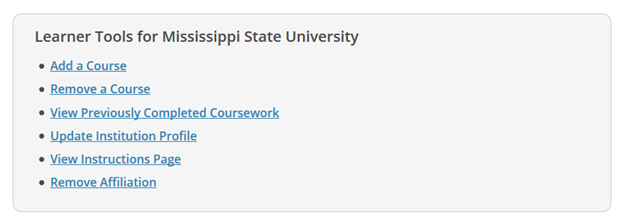
3. You will be directed to the CITI Course Enrollment Procedure page. Answer the enrollment questions to determine the appropriate courses. If you only need to take COI training, then you only need to answer Question 9 (you can leave all other questions blank). For Question 9, select the answer COI – Other Federal Sponsors.
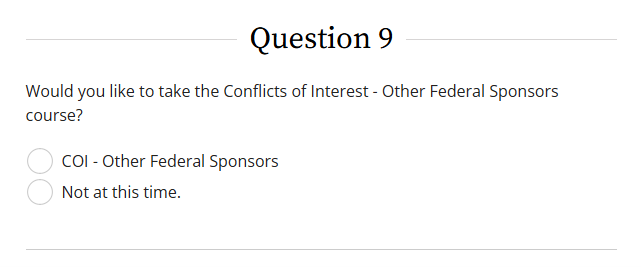
4. After completing the questionnaire, click Submit. You will be returned to the Courses page, where your assigned training will appear under Courses Ready to Begin along with your completion status.
5. To begin the training, click Start Now button next to the course. Two modules of this training are required: Overview of Conflicts of Interest (ID 21282) and Overview of Conflicts of Interest and Commitment (ID 21283). The remaining modules are optional. You may save your progress and return to the course at any time.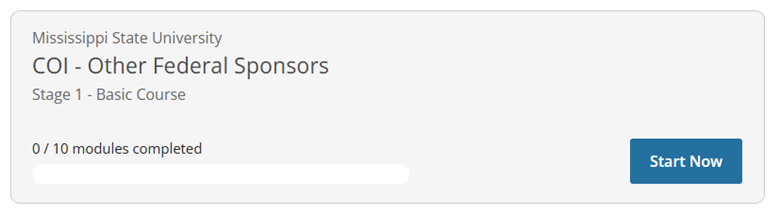
Note: When you complete all required modules successfully, you may print your completion report through the link Print in the Learner's menu. Print or download a Course Completion Report as evidence that you have met institutional requirements.
If you have any questions, please contact ORC&S at 662-325-5220.